
Close Your Eyes, Change Your World
AI Video Transition
Model
Unlimited & fast generation
0/5000
Duration:
5s
Resolution
Aspect Ratio
Generate Audio
Loading example…
Dress spin outfit transition
Walk Into a New World
Free AI Video Transition Generator
Connect two images with smooth, AI-generated transitions. Upload your starting and ending images, describe how you want one scene to transform into the next, and create fluid transitions for cinematic edits, social media, and creative projects.
How to Create AI Transitions Between Two Images
Turn separate images into a seamless visual sequence in three simple steps. No manual keyframing or complicated editing required.

Step 1: Upload Two Images
Choose two images you want to connect. For the best results, use clear footage with compatible subjects, lighting, or camera movement to help AI create a more natural transition.

Step 2: Describe Your AI Video Transition
Choose two images you want to connect. For the best results, use clear images with compatible subjects, lighting, or visual styles to help AI create a more natural transition.

Step 3: Generate and Download Your Video
Click Generate and let AI create your transition. Preview the finished video, download your result, or refine your prompt and generate another version.
Create Better Videos with Powerful AI Transition Tools
From realistic scene morphing to high-definition exports, ImageToVid AI gives you the models, creative freedom, and control to bring every transition to life.
Professional Scene Blending
Connect different scenes with AI-powered motion and visual blending. As one of the creative AI tools for video transitions, ImageToVid AI helps bring subjects, camera movements, and environments together in a continuous visual sequence.
Clean, Watermark-Free Video Downloads
Keep your finished videos looking professional. Download your generated creations without distracting watermarks, ready to share, publish, or incorporate into your next project.
Creative AI Video Transition Effects
Go beyond ordinary cuts with creative AI video transition effects. Transform outfits, switch locations, morph objects, or turn everyday scenes into cinematic visual surprises. Make every scene change more engaging and memorable.
Fast AI Video Generation
Create AI video transitions in less time with efficient generation. Turn your starting and ending images into smooth, engaging videos without a lengthy waiting process.
High-Definition Video Output
Create high-quality AI video transitions with detailed visuals, natural textures, and fluid scene changes. Choose from available resolution options to get the right balance of visual quality and generation requirements.
Private Video Processing and Automatic Deletion
Your uploaded images are stored for 24 hours, while generated videos are automatically deleted after 7 days. This helps protect your privacy and keeps your creative files from staying on the platform longer than necessary.
Explore What You Can Create with Free AI Video Transitions
From product reveals to cinematic scene changes, use our video transition generator to turn images into captivating visual stories.
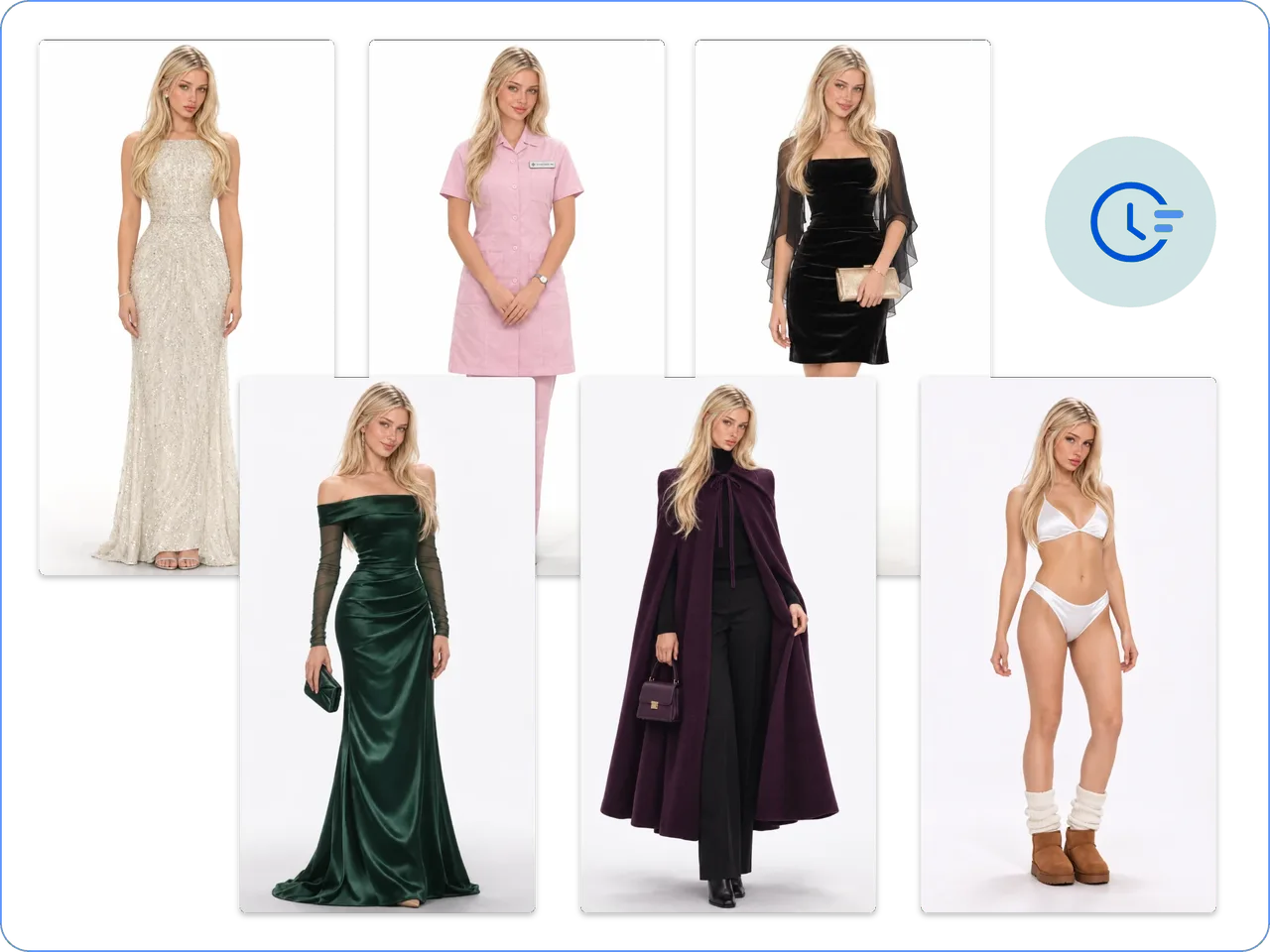
Make Every Outfit Change a Showstopper
Turn simple outfit changes into eye-catching visual transformations. Connect different looks, styles, and settings with smooth AI video transitions that make fashion content more dynamic and engaging.
- Transform casual outfits into elegant evening looks.
- Showcase seasonal collections and creative styling ideas.
- Switch between streetwear, formalwear, and themed costumes.
- Create engaging fashion reels, lookbooks, and influencer content.
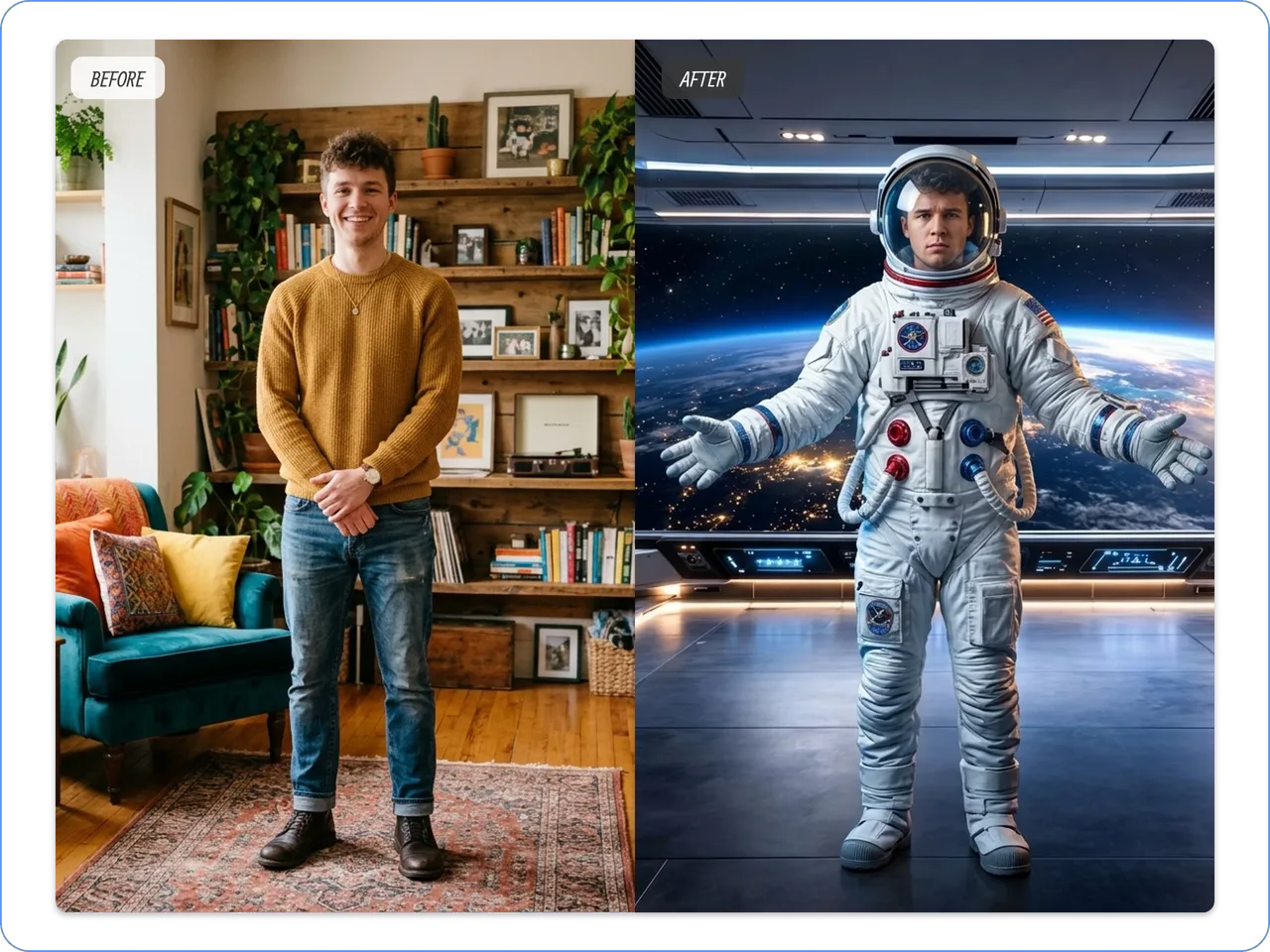
Make Your Next Reel Impossible to Scroll Past
Give your short-form videos an unexpected twist with free AI video transitions. Move between locations, subjects, and visual concepts to make every scene change more exciting for TikTok and Instagram audiences.
- Jump from an everyday setting into a completely different world.
- Reveal unexpected scenes with dramatic camera movements.
- Connect separate images into engaging TikTok and Instagram Reels.
- Add visual impact to hooks, reveals, and short-form storytelling.
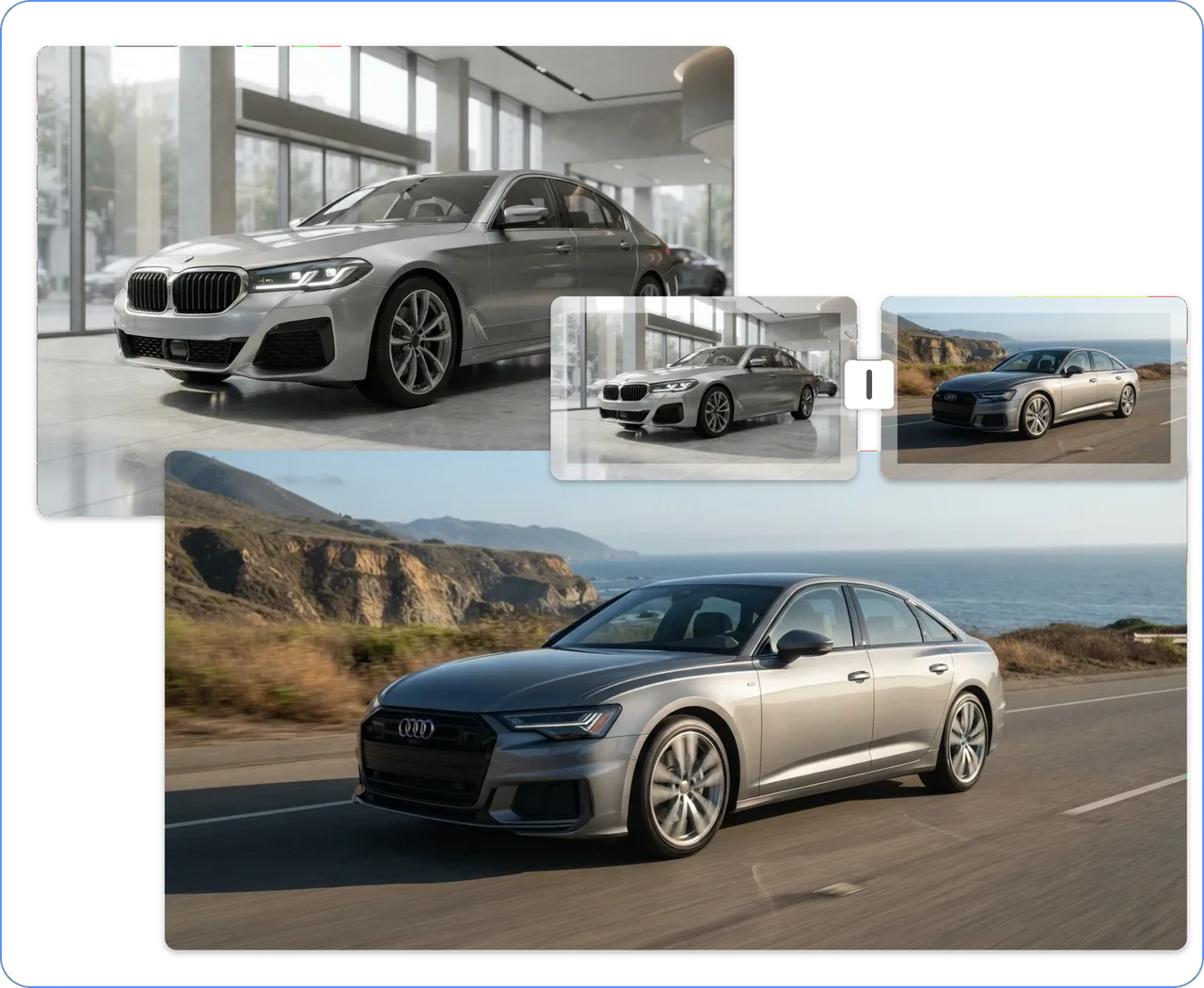
Turn Product Shots into Lifestyle Reveals
Take product visuals beyond the studio. Use the best AI video transition techniques to move from clean product shots to immersive lifestyle scenes, helping audiences picture how products fit into everyday life.
- Move from studio packshots to realistic lifestyle settings.
- Reveal products in kitchens, bathrooms, offices, or outdoor spaces.
- Highlight packaging, colors, and product details through cinematic movement.
- Create engaging visuals for product pages, launch campaigns, and ecommerce ads.
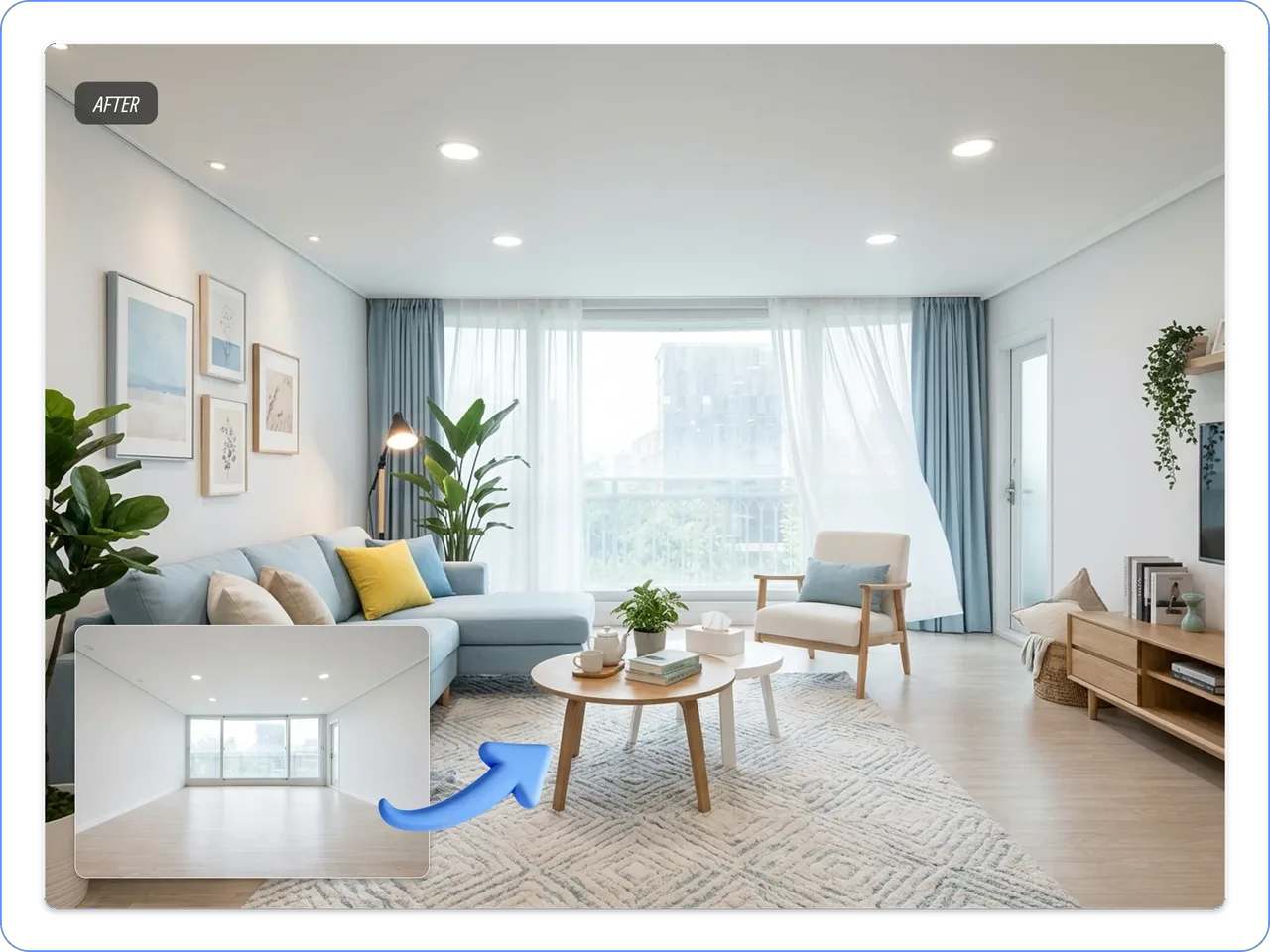
Turn Empty Spaces into Dream Interiors
Show the potential of any space with creative before-and-after transitions. Move from empty rooms to beautifully furnished interiors, making renovation concepts and design ideas easier to visualize.
- Transform empty rooms into fully furnished interiors.
- Reveal different furniture arrangements, colors, and decor styles.
- Connect renovation before-and-after visuals with smooth transitions.
- Create engaging property showcases and interior design presentations.
AI Video Transition Generator: Your Questions Answered
Everything you need to know about our video transition generator, from uploading visual references to creating and downloading your finished videos.
1. What Is an AI Video Transition?
An AI video transition uses generative AI to connect separate scenes by creating new in-between frames. Unlike basic fades, it can transform subjects, environments, and camera movements.
2. How Do I Create AI Transitions Between Two Images?
Upload your starting and ending images, write a prompt describing how you want the scenes to connect, and click Generate. Once processing is complete, preview your AI-generated transition and download the finished video.
3. Can I Combine Images to Create Transitions?
Yes! Depending on the selected model, you can combine two images to create AI transitions between different scenes and visual references.
4. How Can I Write a Good Prompt for AI Video Transitions?
Describe how the first scene should transform into the second. Including camera movements, subject actions, visual effects, and scene changes to guide the AI. These details are especially useful when creating AI video transitions that connect two different visual references.
5. Can I Crop Images Before Generating a Transition?
Yes. You can crop uploaded images to focus on specific subjects or visual details before generation. This gives you more control over the framing when using ImageToVid AI for creating seamless transitions between scenes.
6. Is There a Free AI Video Transition Maker?
Yes! Sign up for ImageToVid AI to receive free credits and explore AI video transitions. Available credits and generation costs depend on the selected model and its requirements.
7. Can I Download AI Video Transitions Without a Watermark?
Yes! You can download your generated AI video transitions without watermarks, including videos created with free credits. Simply preview your result and download it when it's ready.
8. How Long Does It Take to Generate an AI Video Transition?
Generation time varies depending on the selected AI model, video complexity, and processing demand. Some transitions may take longer to generate than others.
9. How Long Are Uploaded Videos and Generated Videos Stored?
Uploaded images are stored for 24 hours, while generated videos are automatically deleted after 7 days. You don't need to remove generated videos manually to follow this automatic deletion schedule.
Create Seamless Videos with an AI Video Transition Online
Bring separate images together with AI-powered scene changes, creative transformations, and smooth visual effects. Upload your references, describe your idea, and let ImageToVid AI turn ordinary cuts into something worth watching.